Extract and convert bank
statements to Excel.
No manual work needed.
Taxflow helps accountants and tax professionals extract data from bank statements and export it to Excel, CSV and Google Sheets.
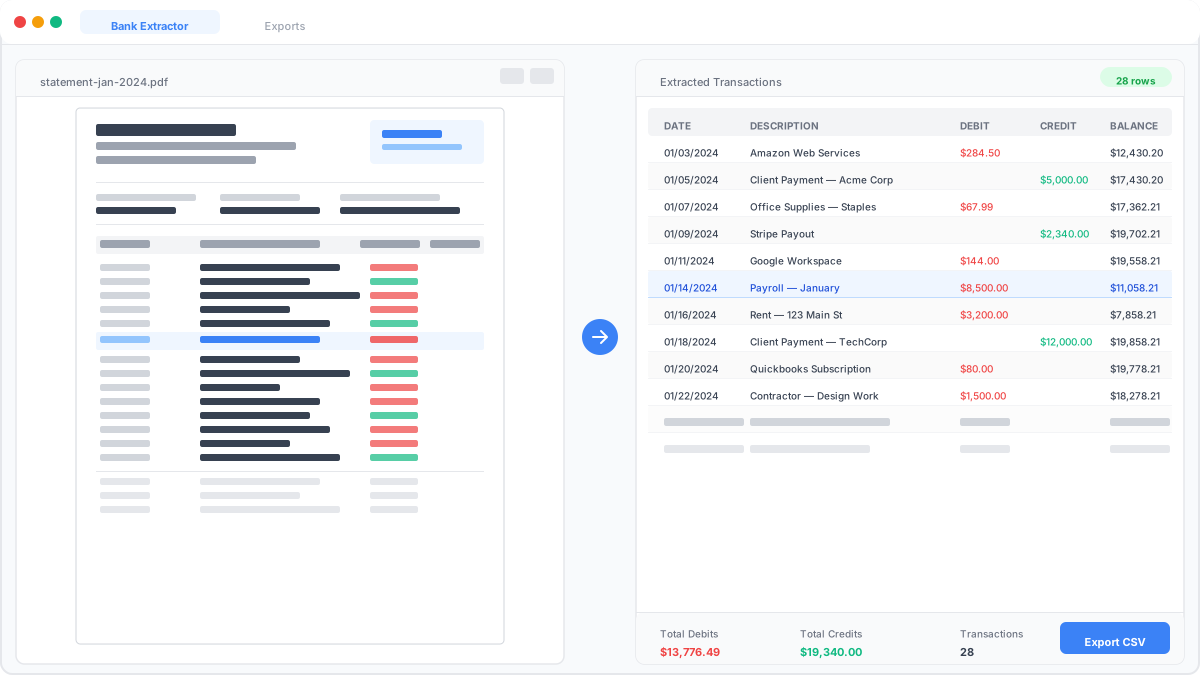
No setup required. Upload your first bank statement and get structured data instantly.
Trusted by accounting firms across the U.S.






Get started in 3 simple steps
A simple and intuitive workflow designed to get you started instantly
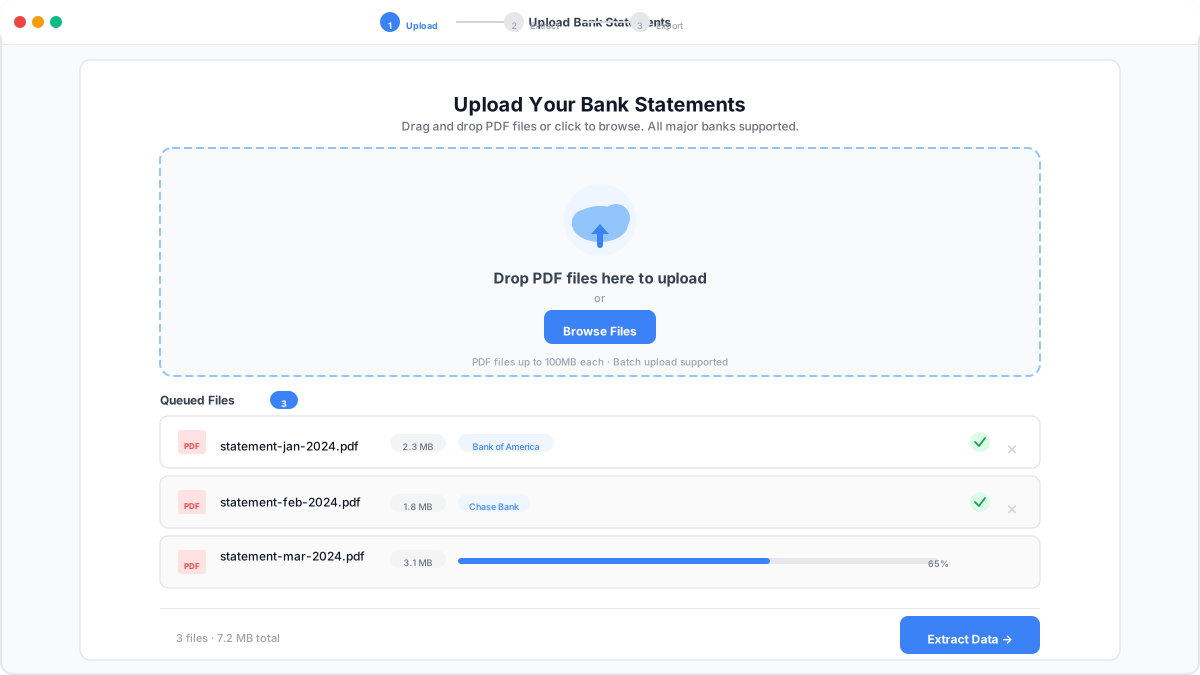
Upload Your Documents
Securely upload your bank statements.
Upload your PDF bank statements, scans, or images in just a few clicks. TaxFlow provides a secure and reliable environment to handle sensitive financial documents from the start.
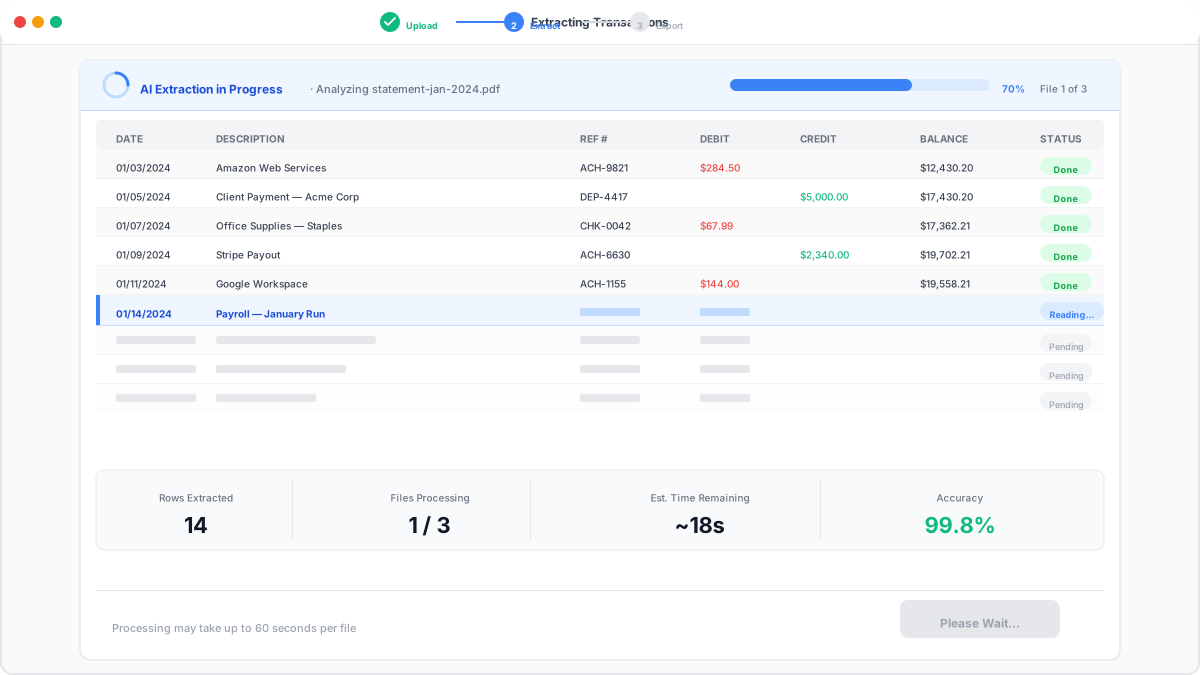
Extract Data with High Accuracy
Let OCR do the work for you.
Our advanced OCR technology extracts and structures your financial data with up to 99%+ accuracy. Reduce manual errors and ensure consistent, reliable data for your accounting workflows.
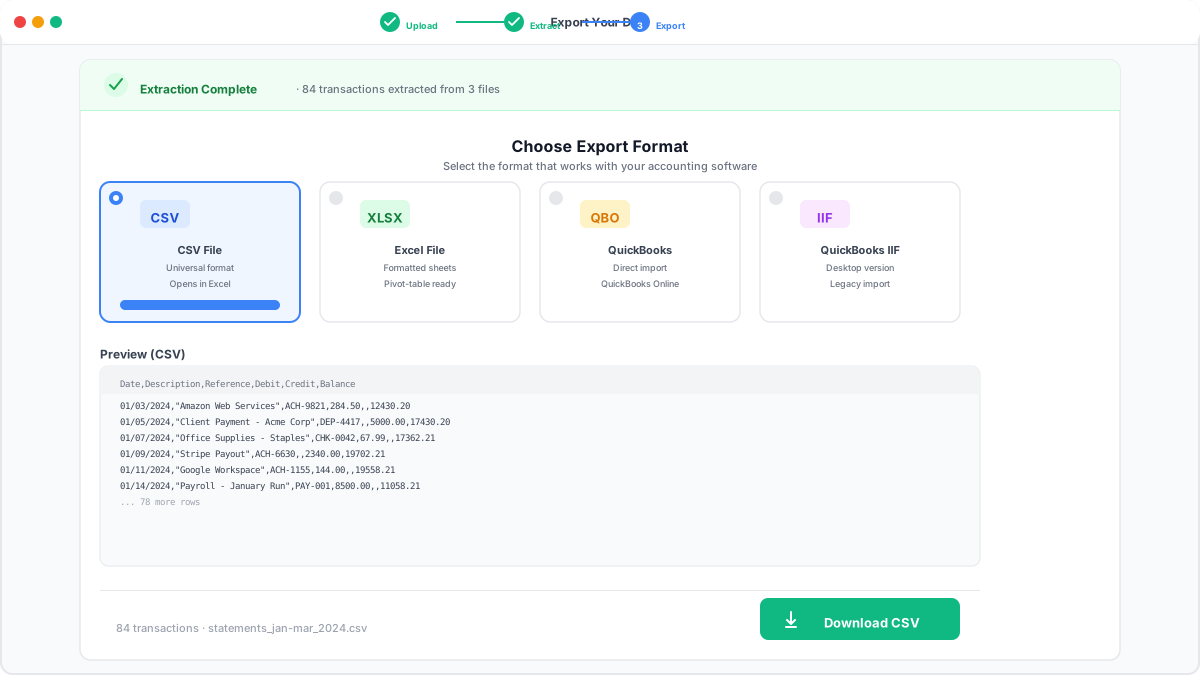
Download and Import Your Data
Get structured data ready for your workflow.
Download your data in Excel, CSV, or XML, or import it into cloud and desktop tools including QuickBooks desktop or Sage desktop. Clean, standardized data that's ready for bookkeeping, tax preparation, reporting, and reconciliation.
Work faster with automated bank statement processing
Extract data from bank statements in seconds
Quickly and easily extract financial data from PDFs, scans, or images. No manual typing, no complex setup — just upload your document and get structured data instantly.
99%+ Accurate Data Conversion
Automatically convert bank statements into clean, structured formats with up to 99%+ accuracy. Export your data to Excel, CSV, or Google Sheets — ready to use in your accounting workflows.
Reduce Costs and Save Valuable Time
Reduce operational costs by removing manual data entry from your workflow. Free up your team's time to focus on higher-value tasks instead of repetitive processes.
Your financial data is protected
TaxFlow is built with secure data handling practices to protect sensitive financial information. Process documents with confidence, knowing your data is handled safely and reliably.
Built for CPAs, accountants, and bookkeeping teams handling high volumes of financial documents
Reduce manual tasks and focus on higher-value work with clean, structured financial data
Extract Detailed Financial Data Automatically
Capture the data that matters.
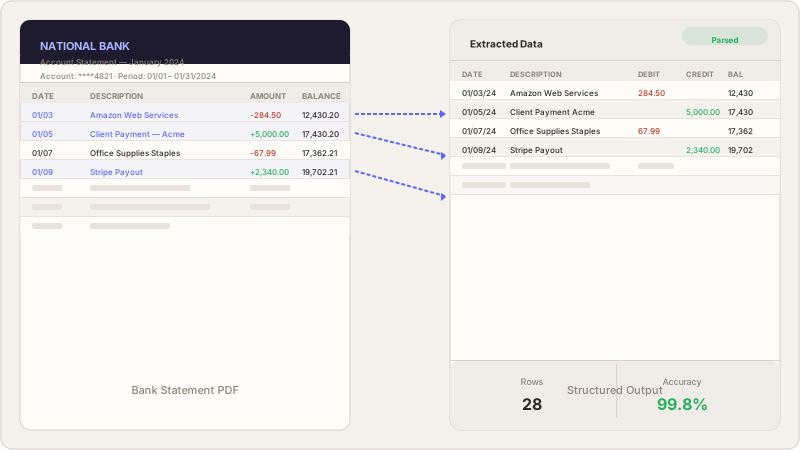
Extract transactions, dates, balances, and descriptions from bank and credit card statements. Get structured, ready-to-use data without manual entry.
Works Across Multiple Document Types and Formats
From scanned files to digital statements.
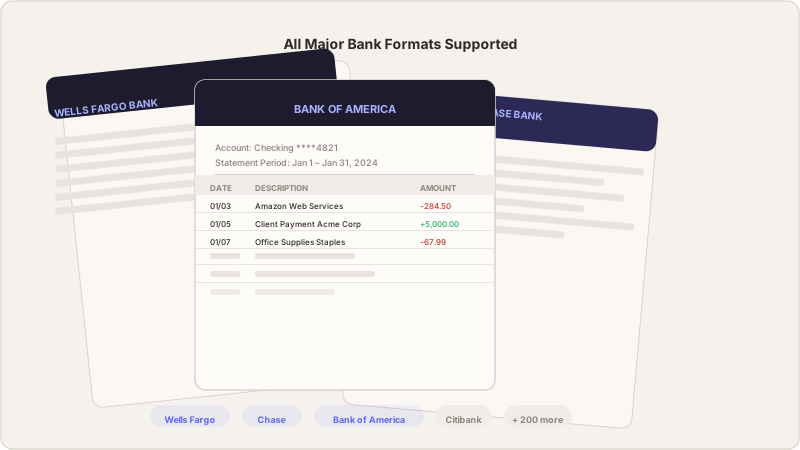
Process bank statements, credit card statements, and other financial documents in PDF, scanned, or image formats. Our OCR adapts to different layouts and institutions with high accuracy.
Flexible Output for Your Workflow
Use your data where you need it.
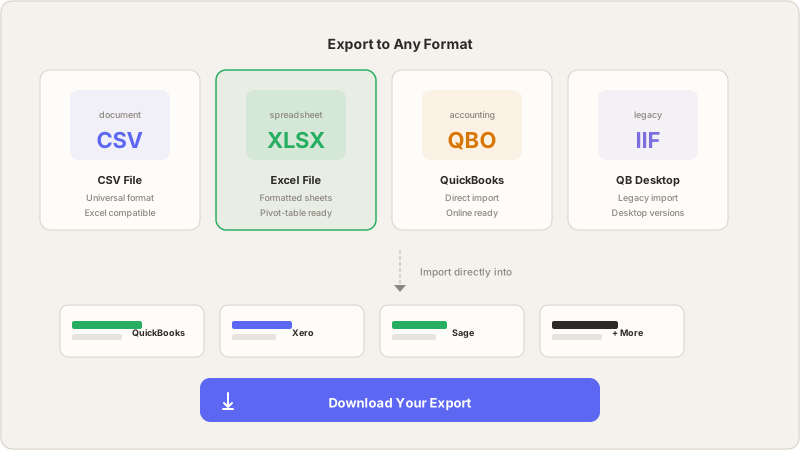
Export your data to Excel, CSV, XML, or Google Sheets, or integrate it with tools like QuickBooks Desktop and Sage Desktop. Standardized outputs reduce manual adjustments and save time.
Process Multiple Files at Scale
Built for high-volume workflows.
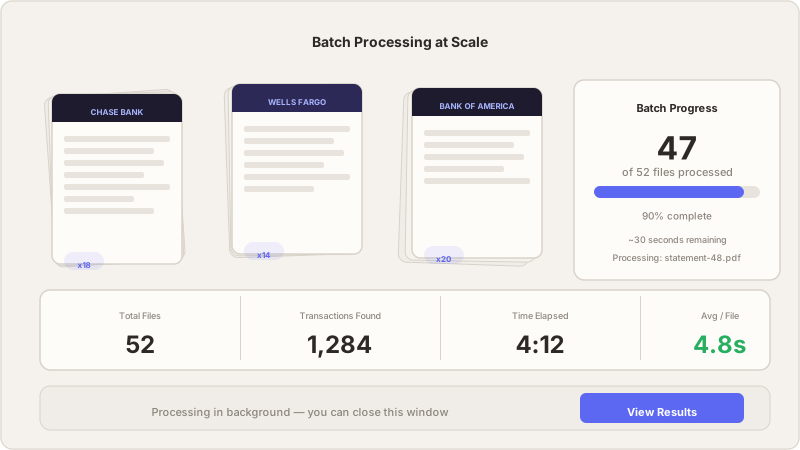
Upload and process multiple bank statements at once, reducing turnaround time for teams and firms handling large volumes of documents.
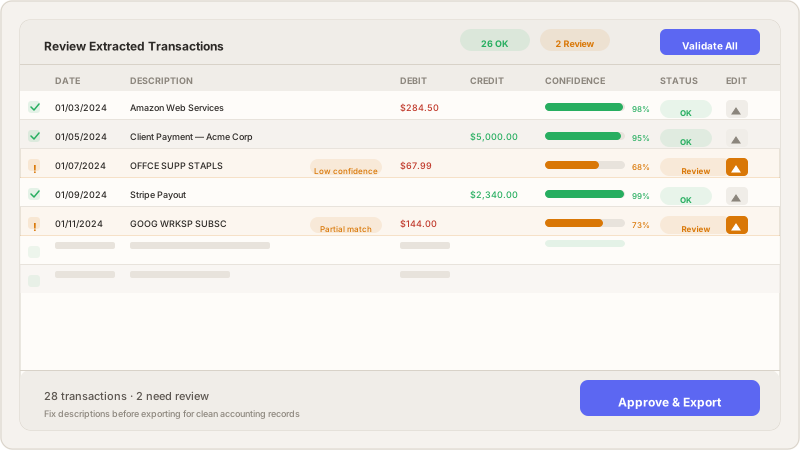
Review and Validate Before Export
Stay in control of your data.
Review extracted data before exporting to ensure accuracy and consistency. Make adjustments when needed and maintain full confidence in your outputs.
Export and import your data into the tools you already use
Without changing your workflow. Download structured data or import directly into your accounting software.
 QuickBooks
 Xero
Xero Sage
SageSecure, Compliant, and Built for CPA Firms
SOC 2 Compliant
TaxFlow's infrastructure providers are SOC 2 Type 2 compliant, ensuring your data is handled with strict security and privacy controls. Your sensitive information is protected by industry-leading standards at all times.
HIPAA
Our database and cloud providers support HIPAA compliance, allowing you to securely store and manage sensitive information. We operate under a shared responsibility model and support Business Associate Agreements (BAA) when required.
Data Encryption
All customer data is encrypted both at rest and in transit using industry-standard protocols through our infrastructure partners. Sensitive information is protected at every stage — from upload to storage.
Multi-Factor Authentication (MFA)
Add an extra layer of security to your account with multi-factor authentication. Require a second verification step to ensure only authorized users can access your data.
Firms saving hours every week with automated extraction
"What used to take our team a full day of data entry now takes about 20 minutes. The extraction accuracy is remarkable."
"The Sage export feature alone justified the switch. No more reformatting CSVs — it just works with our existing setup."
"We handle bookkeeping for 40+ clients. TaxFlow AI lets us process all their bank statements in a fraction of the time."
Extract and convert bank statements.
Choose the right plan for you.
Simple pricing. No hidden fees. Start free and scale as you grow.
- Up to 5 statements per month
- CSV and XLSX export
- Single user
- Email support
- Up to 100 statements per month
- All export formats (CSV, XLSX, QBO, IIF)
- Batch processing
- Batch processing at scale
- Priority support
- Custom column mappings
- 500+ statements per month
- All export formats
- Batch processing at scale
- Multi-user team access
- API access
- Dedicated account manager
- Custom integrations
Frequently asked questions
TaxFlow AI Bookkeeping automates the process of extracting transactions from bank statement PDFs, categorizing them against your chart of accounts, and exporting ready-to-import files for Sage, QuickBooks Desktop, or Excel.
Upload your chart of accounts and the AI will categorize each transaction. It learns from your corrections over time, getting more accurate with each batch you process.
Yes. All data is encrypted in transit and at rest. Bank statements are processed in isolated environments and can be deleted after export. We never share your data.
We offer simple pricing with a free tier (up to 5 statements/month), an Essentials plan at $149/month (up to 100 statements), and a Business plan starting at $499/month for firms processing 500+ statements with dedicated support and custom integrations.
We support bank statements from any bank. Our AI handles different layouts, formats, and structures automatically — no templates or pre-configuration needed.
We currently support Sage 50 (CSV format), QuickBooks Desktop (IIF format), and Excel workbooks. More integrations are planned.
Our AI extracts transactions with high accuracy across different bank statement formats. Every extraction includes a review step so you can verify and correct before exporting.
Save time, reduce costs, and
simplify your workflow.
Join accounting firms that process bank statements in minutes, not hours. Free trial, no credit card required.